

How to Use NotebookLM:
the Practical Guide
Knowing how to use NotebookLM to its full potential can truly boost productivity. What seems like a simple collector is in reality a tool capable of acquiring information from different sources, multimedia documents and links, analyzing them all and then either answering questions or transforming everything into outputs ranging from podcasts to infographics, and much more. In this guide we will explore the features of this AI ‘prodigy’, with practical tips to get the most out of it.
( by: Antonio Maria Guerra | date: 03/04/2026 )
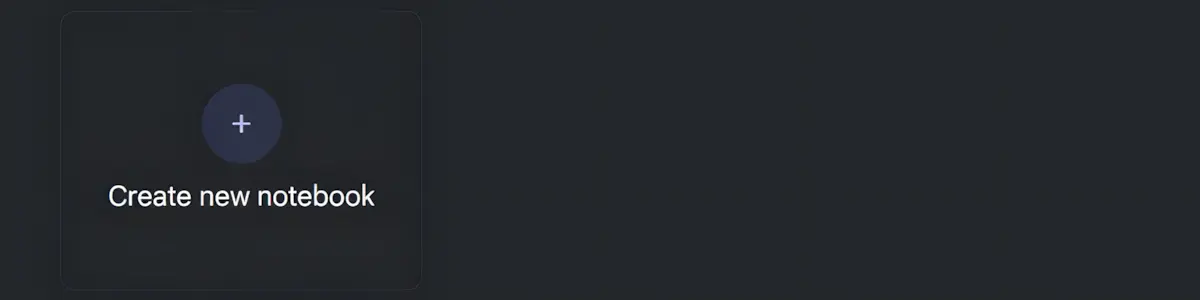
How to Use NotebookLM: Creating a Notebook.
Using NotebookLM starts with creating a ‘notebook’: a thematic journal dedicated to a topic or project of your choice. The first step is to provide the AI with the information that will become its ‘knowledge base’ (and, if desired, the ‘perimeter’ beyond which it will not venture). Accepted content comes in multiple formats, ranging from multimedia files (texts, images, audio) to links to websites or YouTube videos, and much more. It is also worth noting that it is possible to create multiple distinct notebooks, each dedicated to a specific theme, with its own sources and context.

How to use NotebookLM: a guide built to last.
Like all Artificial Intelligence-based tools, NotebookLM is constantly evolving. For this reason, in this guide we will focus on the purpose of its features, old and new, rather than on their position within the user interface, which will inevitably change over time. An approach centered on making the most of the tool, regardless of the changes.
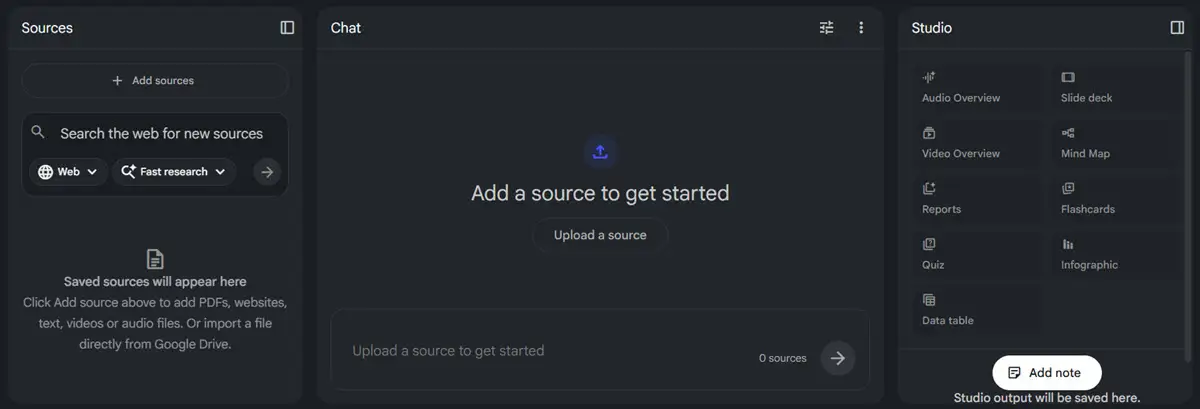
How to use NotebookLM: the workspace.
Once the notebook has been created, you are presented with a workspace designed to be simple and immediate, even for first-time users. Unlike many other Artificial Intelligence-based tools, the interface is divided into three distinct areas: the left sidebar, dedicated to managing sources, the central area, the heart of interaction with the model via chat, and the right sidebar, called ‘Studio’, which brings together all the tools for transforming sources into various types of output. Let’s now take a closer look at each section.

How to use NotebookLM: three areas, one single flow.
The three areas that make up the NotebookLM interface are not isolated compartments, but work in synergy according to a precise logic: the materials uploaded in the left sidebar form the ‘exclusive’ knowledge base of the notebook, the central chat allows you to ‘query’ it, returning responses correlated to it. Finally, the ‘Studio’, located on the right, processes the materials provided to the AI, transforming them into various types of output, from podcasts to mind maps. An integrated flow in which the quality of the final result depends on that of the uploaded content and on the human interaction with it.
LEFT SIDEBAR: SOURCES
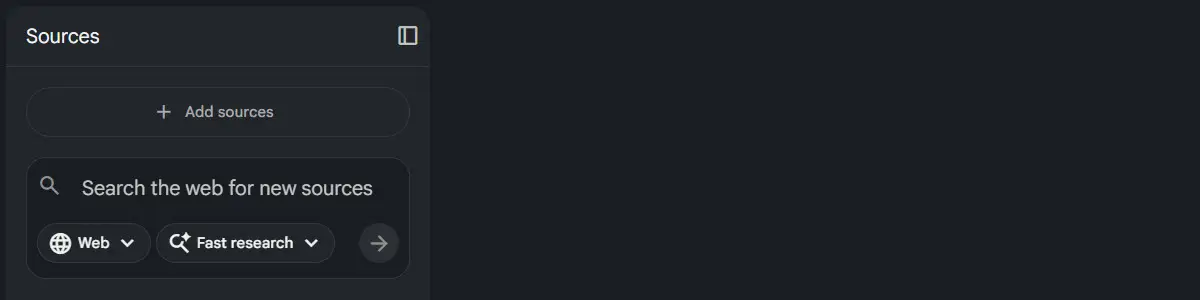
How to use NotebookLM: the ‘Sources’.
The ‘Sources’ section is the starting point of every notebook: this is where all the materials that will form the project’s knowledge base are uploaded and managed.
Content can be added at any time, progressively enriching the notebook as the work develops. In addition to direct uploads, or simple ‘copy and paste’, this section also offers the possibility of searching for new sources directly on the web, making it easy to integrate external materials without having to leave the working environment.

‘Sources’: when quality makes the difference.
It’s worth highlighting an aspect that sets NotebookLM apart from most other Artificial Intelligence-based tools: when the tool is asked to work exclusively on one’s own materials, provided to it, without drawing on external knowledge, the risk of ‘hallucinations’, meaning invented or inaccurate responses, is clearly reduced significantly. The flip side is that quality results depend on equally valuable content: generic or incomplete material will produce output that often falls short of expectations.
CENTRAL AREA: CHAT
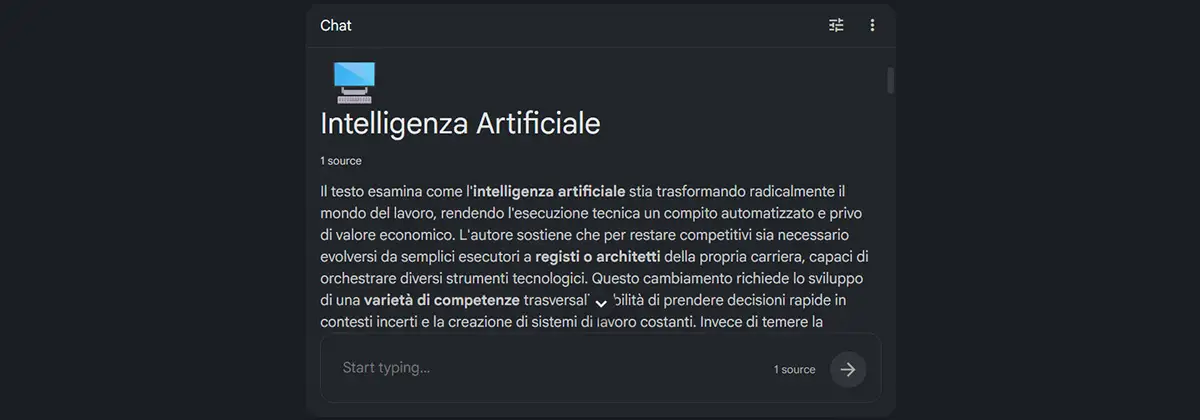
How to use NotebookLM: the ‘Chat’ section.
The ‘Chat’ section is the heart of interaction with NotebookLM. Once the materials have been uploaded, this area automatically displays a summary of their overall content, useful for getting oriented before starting work. It’s then possible to query one’s materials by entering requests in natural language in the input window. It is worth noting that every AI response, drawn exclusively from the notebook’s sources, is accompanied by clickable citations linking back to the exact passage from which the information was extracted: this ensures full traceability of the content.

Conversations without losing the thread.
It’s worth highlighting a technical aspect that sets interaction with NotebookLM apart from most of what is possible with similar tools: since October 2025, Google has enabled a one-million-token context window across all plans, including the free one. In practical terms, this means thet it’s possible to conduct highly articulated conversations on one’s materials without the model losing track of what was previously discussed, even during particularly long and complex sessions.
RIGHT SIDEBAR: STUDIO

How to use NotebookLM: the ‘Studio’.
The ‘Studio’ is undoubtedly the most powerful section of NotebookLM: this is where uploaded materials are transformed into various types of output, ready for a wide range of uses. Unlike the Chat, which operates in conversational mode, the Studio generates content autonomously from the sources, with no need for direct interaction: simply select the desired format and “voilà” the ‘magic’ is done. The available outputs range from podcasts and videos to mind maps, presentations and infographics, covering a wide variety of needs.
Let’s explore them one by one:
- Audio Overview: The Audio Overview transforms the notebook’s materials into a podcast-style conversation between two AI voices. The key concepts are highlighted and explained in a natural and accessible way. The output is customizable before generation, then playable directly in NotebookLM or downloadable as an audio file. An interactive mode is also available, allowing the user to intervene by asking questions in real time. Finally, this feature is available in over 50 languages;
- Slide deck: The ‘Slide deck’ feature automatically generates a presentation from the notebook’s materials, organizing its content into structured slides, complete with key points and speaker notes. The output can be customized via prompt before generation, or individual slides can be edited afterwards without having to start from scratch.
The output is exportable in a wide range of formats, freely downloadable;
- Video Overview: The ‘Video Overview’ transforms the notebook’s materials into an AI-narrated explanatory video that combines voice, images and animated slides to make even the most complex content accessible. Unlike the Audio Overview, the visual component allows processes, data and concepts to be illustrated in a more immediate and engaging way. The output is customizable before generation, specifying visual style, format and topics to prioritize. It’s directly downloadable from NotebookLM;
- Mind Map: The ‘Mind Map’ feature automatically generates a visual and interactive representation of the relationships between key concepts found in the notebook’s materials. Expandable and clickable ‘conceptual nodes’ are presented: selecting one automatically launches a chat conversation focused on that specific topic, allowing for deeper exploration of the content.
Generated maps are exportable as PNG image files;
- Reports: The ‘Reports’ feature allows structured documents to be generated from the notebook’s materials, in several predefined formats: briefing document, study guide, FAQ, and event timeline. NotebookLM analyzes the sources and dynamically suggests the most suitable formats for the uploaded content, but structure, style and topics can be freely specified via a custom prompt. Reports are viewable directly in NotebookLM and can be copied for external use.
- Flashcards: The ‘Flashcards’ feature automatically generates study cards from the notebook’s materials, each with a concept or question on the front and the answer on the back. The number of cards and difficulty level can be customized.
The flashcards are interactive: additional explanations can be requested for each answer, with direct references to the source material;
- Quiz: The ‘Quiz’ feature automatically generates questions from the notebook’s materials, allowing you to test and consolidate your knowledge quickly and interactively. The number of questions, difficulty level and topics to focus on can all be customized. For each answer, a detailed explanation is also available with direct references to the source material, useful for exploring less clear points further;
- Infographic: The ‘Infographic’ feature transforms the notebook’s materials into a schematic visual representation, organizing information in an immediate and readable graphic format. Orientation, level of detail and style can all be customized before generation.
The output is directly downloadable from NotebookLM;
- Data table: The ‘Data table’ feature automatically extracts and organizes information from the notebook’s materials into a structured tabular format, particularly useful for comparing data, concepts or elements from different sources. The output can be exported directly to Google Sheets for further processing.

‘Guaranteed’ sources for Studio outputs.
It’s worth highlighting a characteristic of NotebookLM that makes this tool particularly valuable, including in the case of the ‘Studio’ features: regardless of the output format chosen’ from podcasts to videos, from mind maps to presentations and so on, the generated content will always draw exclusively from the materials the user has chosen to include in the notebook. Nothing will go beyond that perimeter. This will always guarantee consistency, verifiability and a reduced risk of so-called ‘hallucinations’.
PRACTICAL TIPS
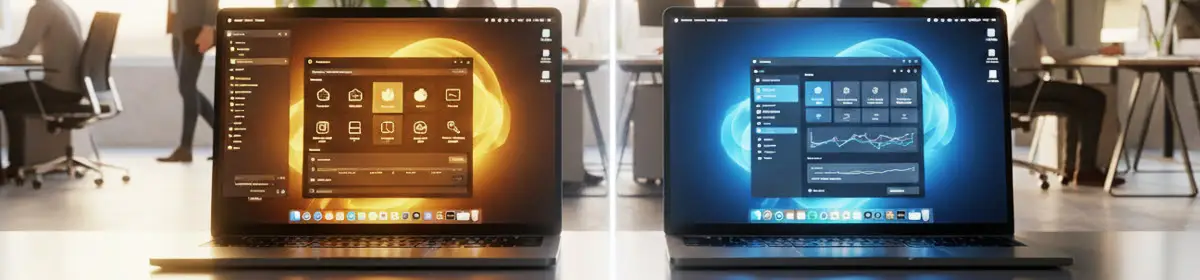
NotebookLM or ChatGPT? How to choose.
ChatGPT and NotebookLM are tools that differ from each other in several respects. This makes one or the other preferable depending on the purpose, except, of course, when one wishes to use both in a synergistic way. Let’s explore how they differ:
- ChatGPT draws on a vast general knowledge acquired during training, which serves as a basis for further research conducted online when the web search feature is activated. It’s the right tool especially when there is a need to generate original content, brainstorm or explore a topic in a creative and open-ended way. All this freedom comes at a price, however: the risk of encountering so-called ‘hallucinations’, which can undermine the reliability of the result.
- NotebookLM works exclusively with the documents provided by the user, either through direct upload or via links to web pages, videos and other content. It is the right tool primarily when there is a need to analyze specific sources, answer questions about them, or generate outputs in structured formats. All of this with a significantly reduced risk of ‘hallucinations’, since the uploaded content constitutes a precise ‘perimeter’ within which the AI operates.
In practice: when the priority is creativity and the freedom of conceptual ‘exploration’, ChatGPT should be considered the natural choice. When instead the task involves working with one’s own materials and reliability is paramount, NotebookLM has no rivals.
When both needs coexist, using them together can undoubtedly prove to be the most effective solution!

NotebookLM: a ‘second brain’, entirely digital.
Among the most effective uses of NotebookLM is employing it as a true digital ‘second brain’: an ‘intelligent’ and above all queryable archive, which can be steadily enriched over time. The mechanism for achieving this is simple: create a thematic notebook dedicated to a topic of one’s own interest, whether professional or private, and gradually integrate it with new sources, when, for example, one reads an interesting article, watches an inspiring video or collects relevant documents. NotebookLM will analyze each new addition, combining it with the previous ones, thus allowing cross-cutting questions to be asked across all the accumulated material and, most importantly, unexpected connections to be discovered. If we add to this the ability to generate outputs that reflect the growing depth of one’s knowledge base, we begin to understand that we have in our hands a tool that, on a daily basis, can work alongside the capabilities of our own mind, effectively expanding its possibilities.

NotebookLM and meetings: an archive that answers back.
Loading the content of one’s work meetings into a dedicated notebook, whether in text or audio format, is among the most practical and immediately productive uses of NotebookLM. Once acquired by the AI, these data can be queried through the chat in natural language, for example, by extracting key points, retrieving specific decisions, identifying tasks assigned over time, or comparing positions expressed in different meetings on the same topic. It’s also possible to generate structured reports, obtaining in a matter of seconds what until a few years ago would have required hours of manual re-reading. The result is an archive that is no longer static but ‘active’, queryable and genuinely useful: an ‘institutional memory’ available on demand.

NotebookLM: fewer sources, but better ones.
One of the most common mistakes among new NotebookLM users is undoubtedly trying to load as many documents as possible into the tool, convinced that more material means better answers. The reality, strange as it may seem, is often quite different. Numerous but generic sources, or ones that are barely relevant, tend to ‘dilute’ the argumentative context of the notebook, often making the AI’s responses less precise. On the contrary, a limited number of carefully selected sources, closely tied to the topic of interest, produces significantly more reliable and useful results. The practical rule is simple: before adding a new source, it is worth asking whether it truly adds value to the notebook or merely disperses its focus. In NotebookLM, as in many other areas, quality beats quantity.

NotebookLM: the usefulness of sharing.
Among the most useful ‘features’ of NotebookLM, the possibility of sharing a notebook with other users should not be forgotten, users who will be able to interact with its sources via chat. A clearly valuable feature in collaborative contexts: a work team can query the same documents, a study group can share a common archive, a professional can offer a client guided access to their own sources. All in a simple and secure way.
Copyright information.
The images on this page were created using generative Artificial Intelligence tools.
The NotebookLM interface screenshots in this article are used for editorial and educational purposes only. NotebookLM is a trademark of Google LLC, with which IntelliGuide.it has no affiliation.